 hueflo
Open the studio
hueflo
Open the studio
Cel animation · one of 16 media
Turn part of a photo into anime
Pick the person, the background or an area you mark. hueflo restyles only that part as anime with generative AI, and the rest stays a real photograph.
Try cel animation free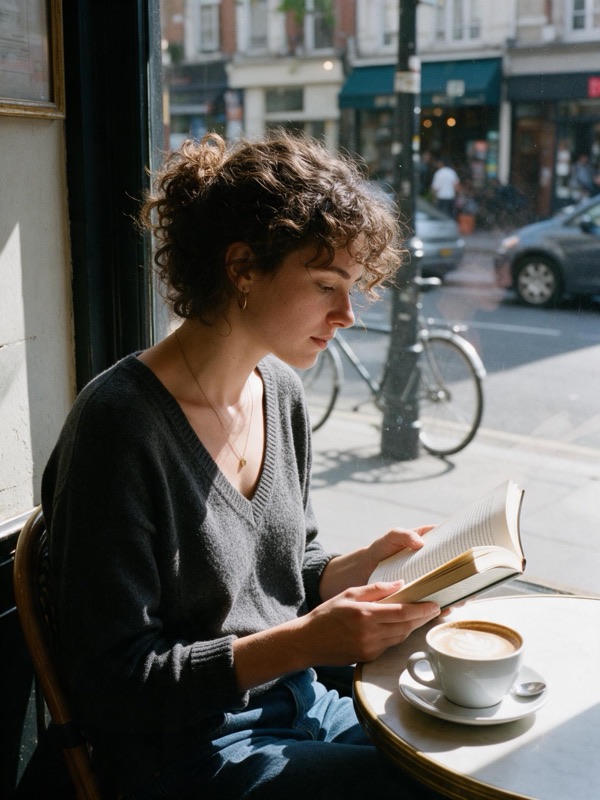
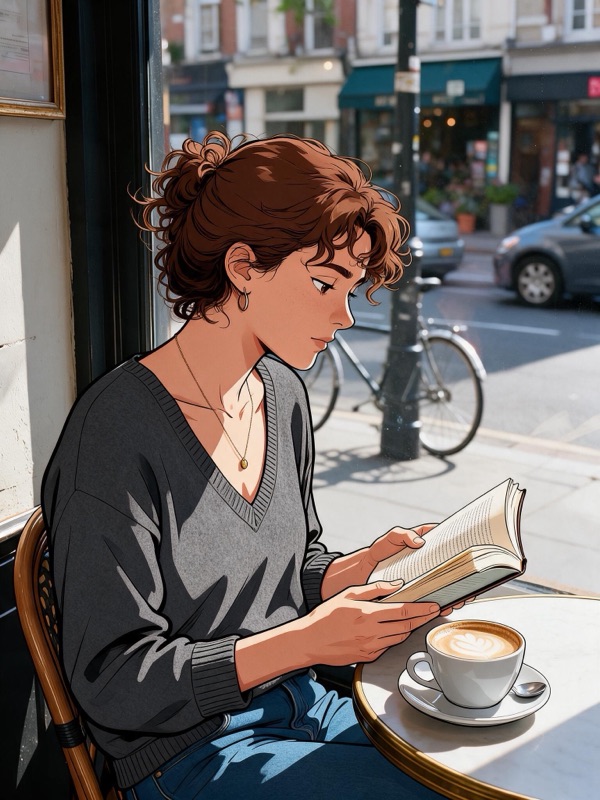
The source photo is AI-generated. The result was made by hueflo itself and is unretouched.
What anime looks like
The part you pick is redrawn as two-dimensional cel animation: confident ink lines, large flat color shapes and two or three shadow bands. Recognizable features and main clothing colors are kept. It is a redraw, not a beauty filter.
Photos that suit it
Portraits and half-body shots where the face is clearly visible. Choose Person to draw them while the street or room behind stays real.
How it works
- Upload a photo (JPEG, PNG or WebP, up to 15 MB).
- Choose what changes: the person, the background, or an area you mark.
- Pick Cel animation. The result is rendered at 2K and checked by an automatic review.
The AI redraws the whole image, so the part you did not pick stays photographic but is not pixel-identical.
Price
Your first edit is free. After that an edit costs 18 credits, from about $0.28 per edit, paid with Telegram Stars. If an edit fails, the credits are refunded automatically.
Try cel animation freeOther styles
All 16 media in the studio: Cel animation, Halftone comic, Pixel art, Watercolor, Ink wash, Linocut, Impasto, Soft 3D, Low poly, Voxel, Clay, Layered paper, Origami, Needle felt, Embroidery, Stained glass.